Auto SAT
This will be going over how to setup Auto SAT for Bluebook
Download
First, make sure your HWID is registered as is shown here
Now, download the loader from the softwares section of the Genie panel, here
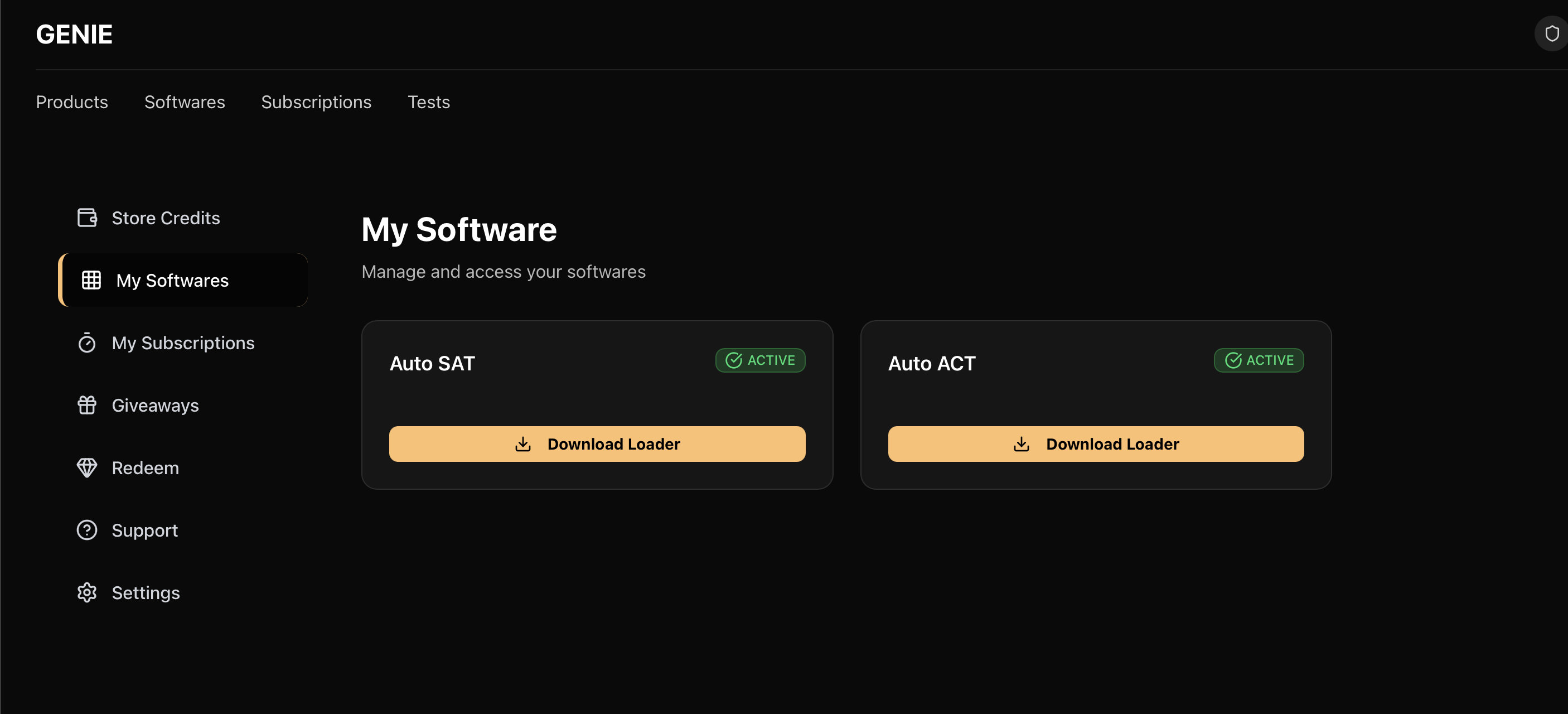
Setup
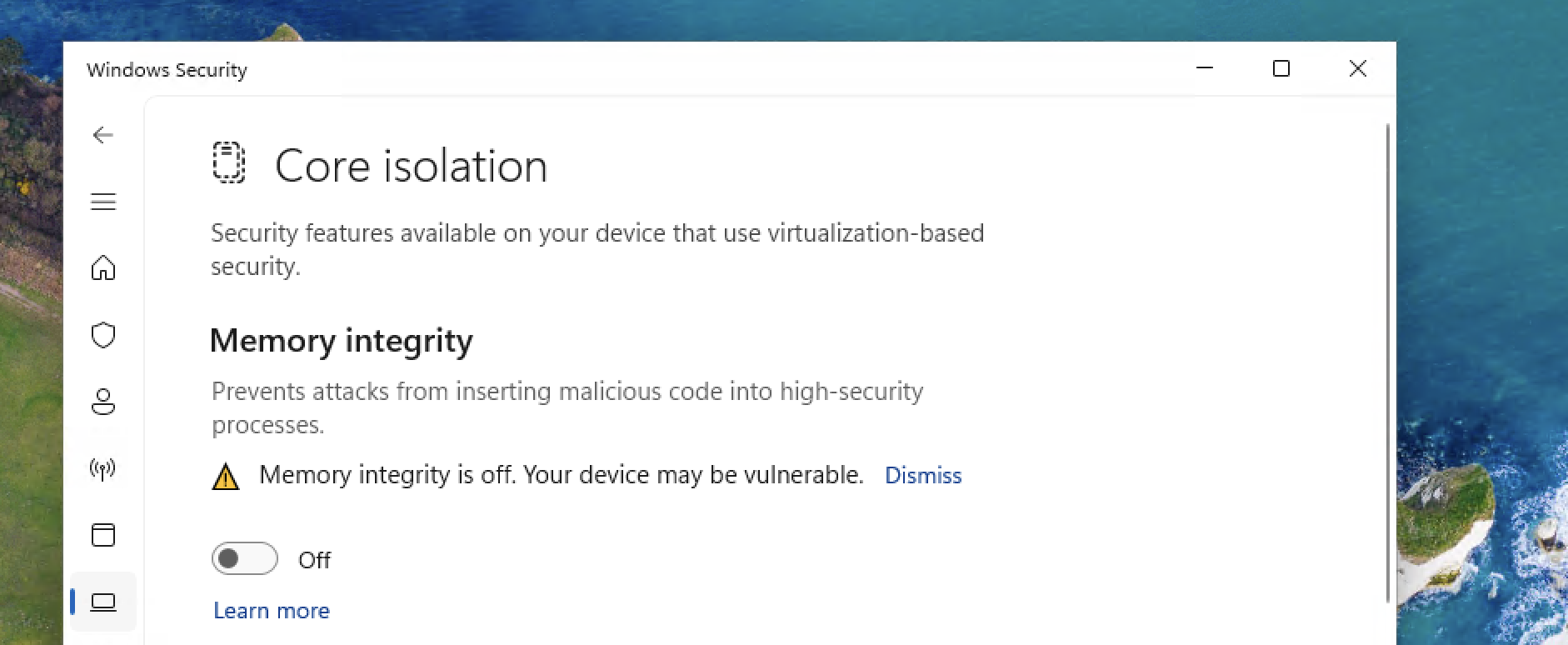
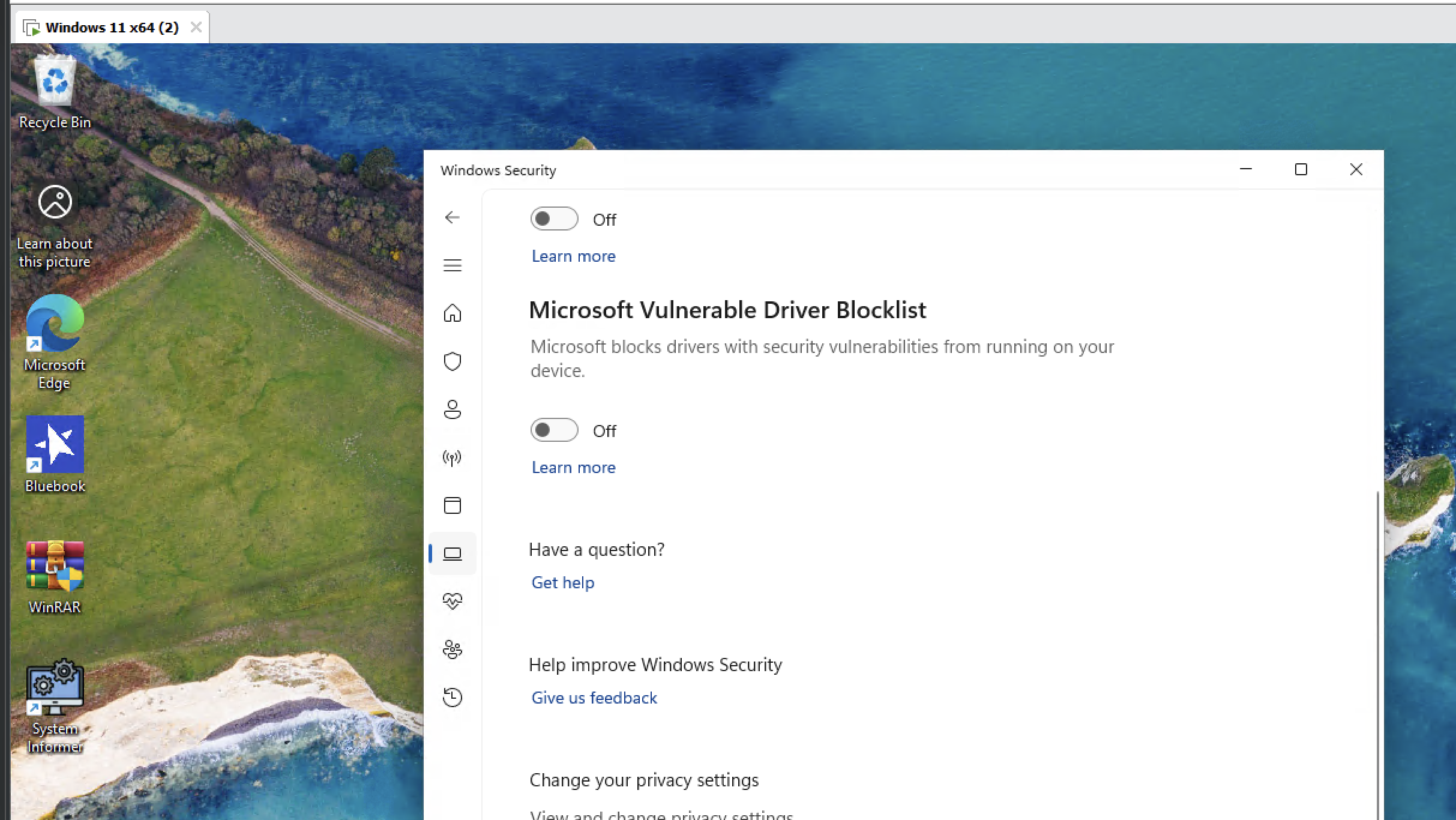
Make sure you have Memory Integrity disabled and Microsoft Vulnerable Driver Blocklist disabled in Windows Defender (If Memory Integrity isn't disable already, you will need to restart before disabling vulnerable driver blocklist as it will be greyed out), as is shown below. You will also need to restart after disabling Microsoft Vulnerable Driver Blocklist.
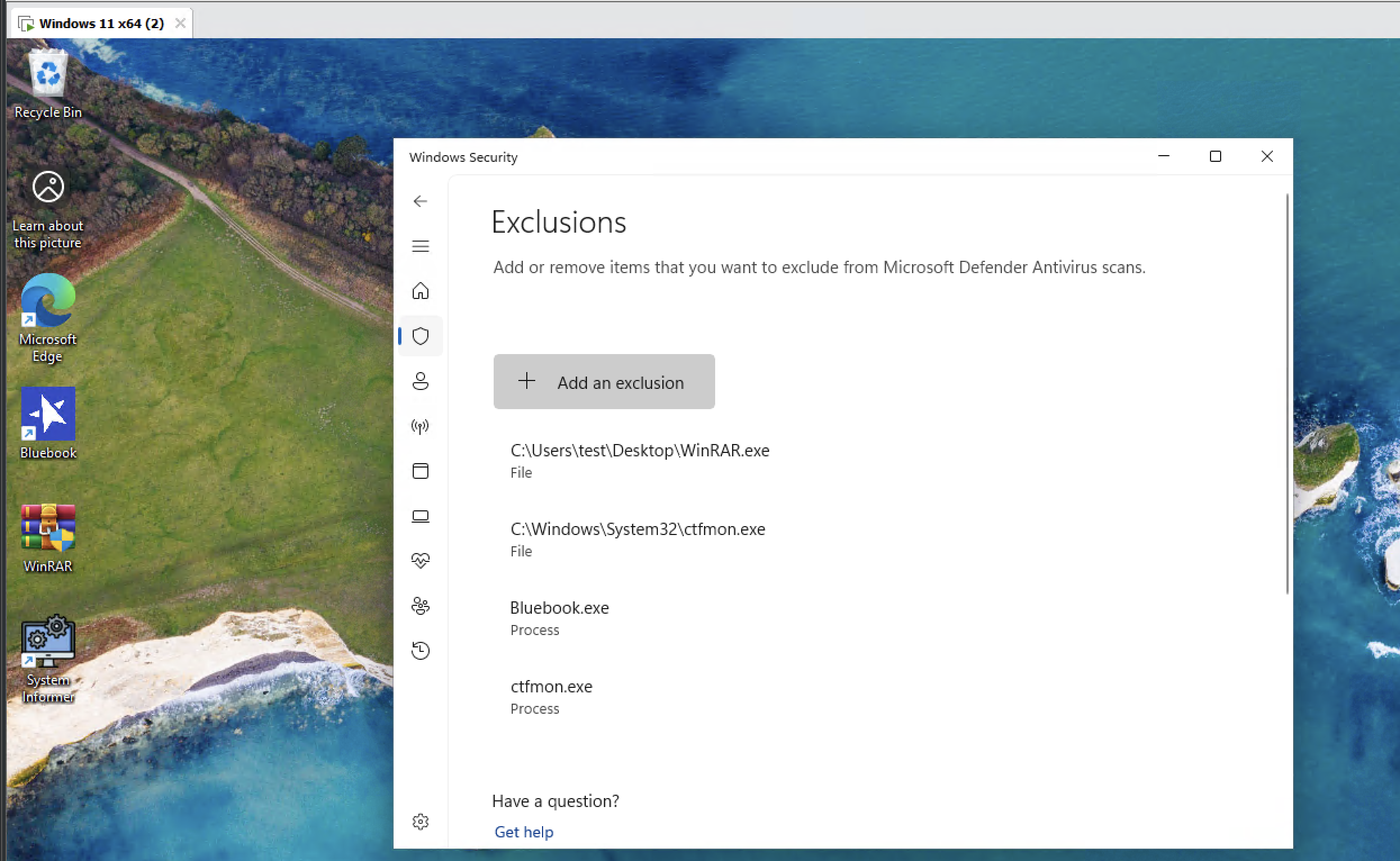
Once downloaded and done with above instructions, add the following exceptions to your Windows Defender (WinRAR.exe being the loader binary, then make sure ctfmon.exe and WinRAR.exe (loader) is added as both a process and file in exclusions). Prior to your actual SAT, we recommend disabling Real Time Protection in Windows Defender or your active antivirus to prevent any complications with how we discreetly load our software in the morning before you go to your test center as disabling RTP (Real Time Protection) is temporary and we will re-enable itself after a while.
To ensure no issues with loading, be sure to also download the latest Visual C++ redistributables from here and download the file called 'VisualCppRedist_AIO_x86_x64.exe'
Usage
Once done with everything above, you can launch the loader and once you hear the default Windows sound, you can launch Bluebook, then once you launch it, you should hear another default Windows system sound confirming its loaded properly. When you load into a practice test, it should show a small dot over the correct MCQ question. For FRQ (free response questions), it will show in the bottom right the correct answer as shown in the showcase. If any problem arises, open a ticket and if you receive no response in 24 hours+, message a developer on Discord to help you ASAP.
Sound Example:
Your browser does not support the audio element.
Critical Tips
Take your time on the SAT and try to take as much time on the test as a normal test taker. Do not rush through it and if a proctor is nearby, you can leave your mouse idle and the overlay/FRQ/MCQ indicator will disappear until you move your mouse again in order to hide the fact you're using Genie.